Process automation explained for small service businesses
By Kiss János 13 min read
What process automation actually means
A massage therapist who texts every client the night before their appointment is already running an automated process. The only difference is that the “automation” is her thumb at 10 p.m.
That habit works until she gets sick, gets busy, or simply forgets.
Process automation means using rules, software, or triggers to run a repeatable business process with minimal manual effort at each step.
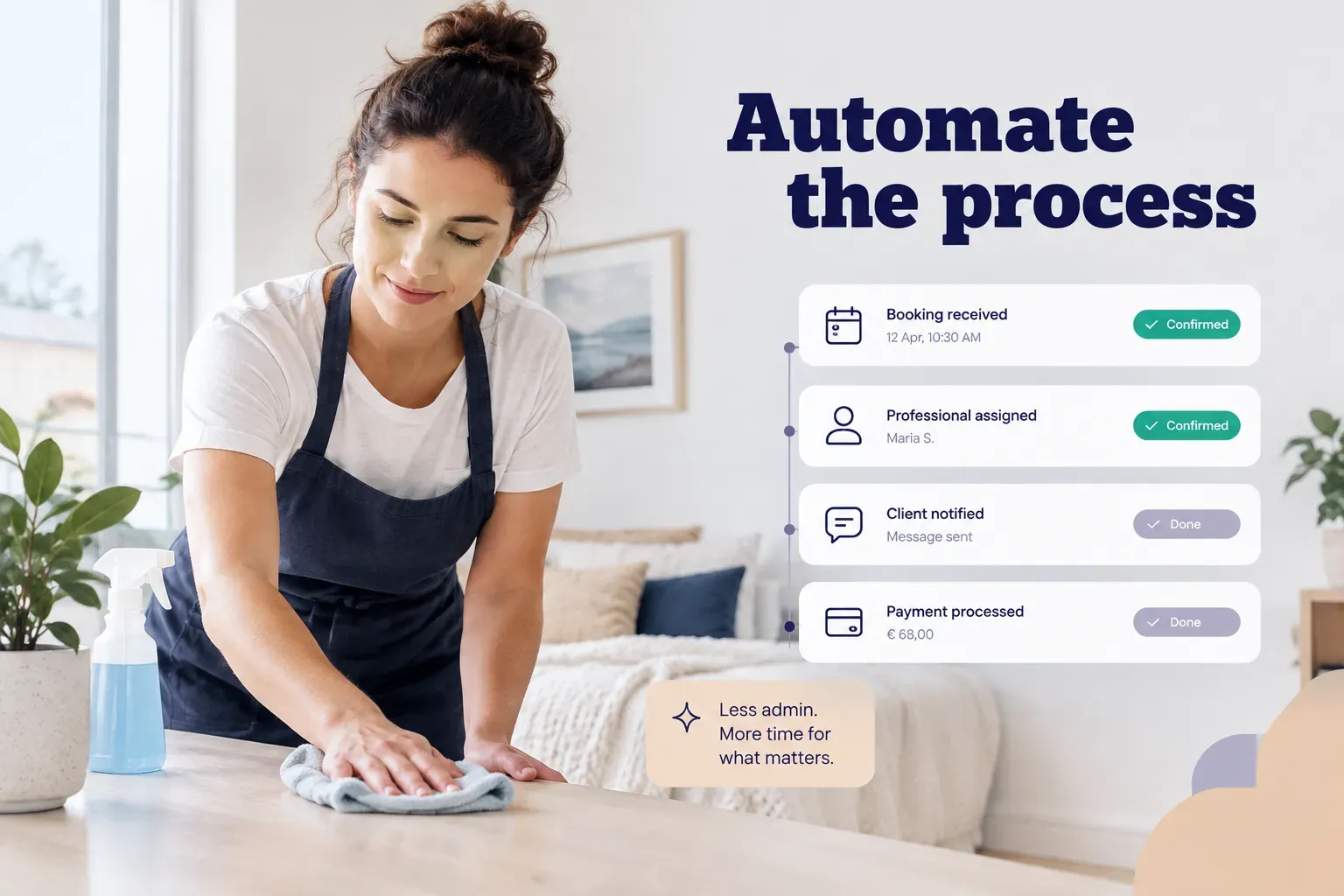
A booking comes in, and the system confirms it. A day before the visit, a reminder goes out. After payment, a review request follows.
Nobody has to remember.
Most guides on business process automation don’t help much if you’re a solo provider or a five-person team. They lean on enterprise examples like accounts payable approvals or onboarding new hires at a 3,000-person company.
Useful for a CFO. Not so useful for a dog groomer, a personal trainer, or a two-chair dental hygiene practice.
This guide takes a different route. It maps a full service journey, from the first inquiry through the repeat booking, and shows where automation helps and where a human should stay firmly in control.
Automation is an operating change, not a piece of software you install once and forget. It changes who does what, when, and how you know it worked.
Treat it that way and it pays off for years. Treat it as a plug-in and it quietly breaks the first time a client cancels at the last minute.
Task, workflow, and process: A simple hierarchy
Here’s where most people get confused: “automation” gets used for everything from a canned email reply to an entire booking system.
Those are very different things.
Mixing them up is how small businesses end up buying a tool that solves one tiny problem while the real bottleneck sits untouched.
Task, workflow, and process automation
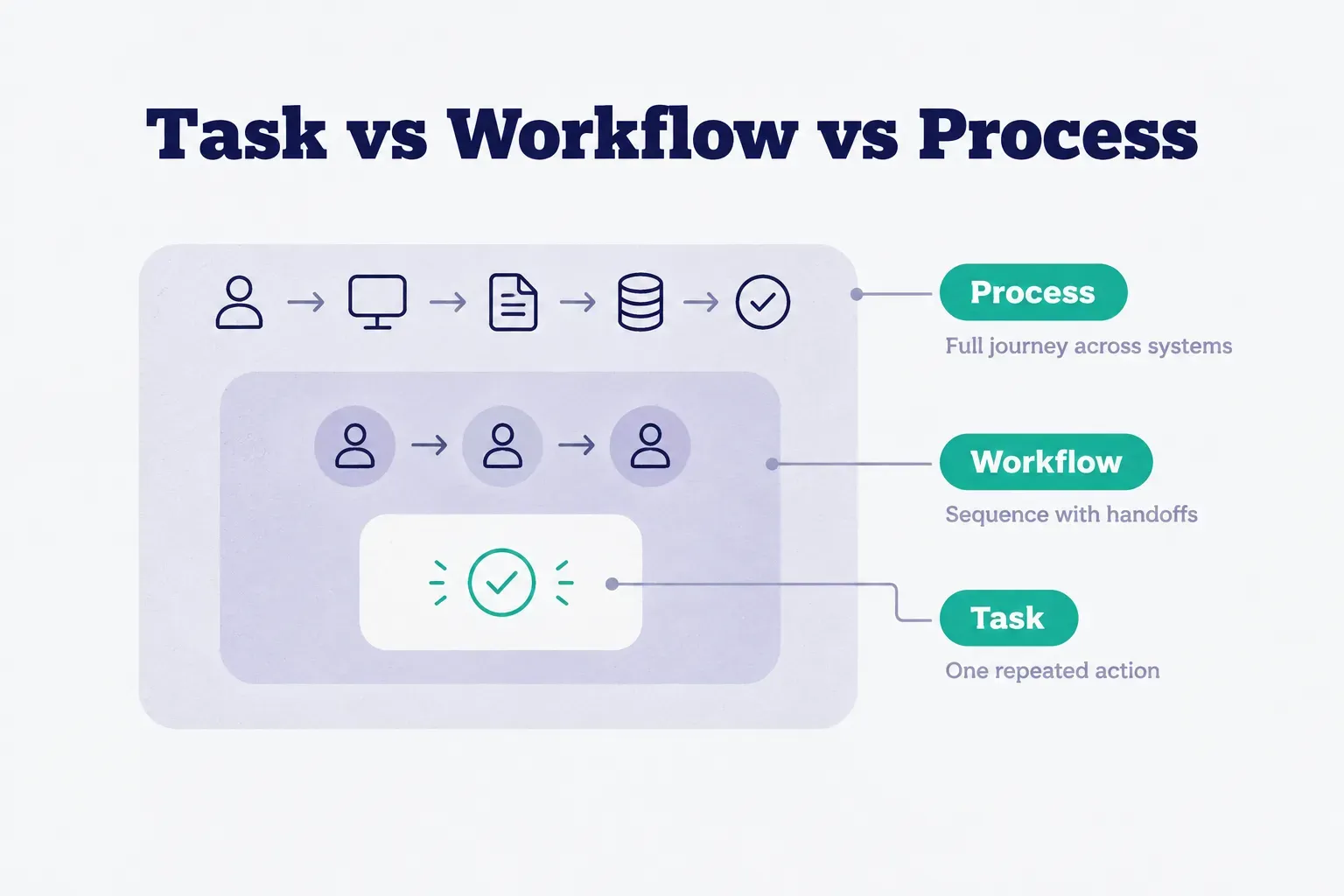
Think of it as three nested levels.
A task is one repeated action. A workflow is a sequence of tasks with handoffs between them. A business process is the full end-to-end journey across systems and people, from the moment a customer appears to the moment they come back.
Here’s how that escalates in practice:
Task automation: a confirmation email sends automatically when someone books. One trigger, one action.
Simple and useful.
Workflow automation: the confirmation sends, a reminder is scheduled for 24 hours before the appointment, and the calendar blocks the slot. Three actions, coordinated, each depending on the last.
Process automation: the inquiry is answered, availability is checked, the booking is confirmed, the reminder fires, payment is collected, a review request goes out, and the client record updates. That’s the whole journey, and the data flows through it without anyone retyping a name or phone number.
Why does the distinction matter? Because automating tasks in isolation often creates new manual work.
If your confirmation sends automatically but someone still has to copy the booking into a spreadsheet for invoicing, you’ve only moved the bottleneck.
Where RPA, BPM, and AI fit
Three more terms come up constantly, and each sits in a different place.
Robotic process automation (RPA) is software that mimics human clicks and keystrokes on systems that don’t have an API integration. If your old booking tool can’t talk to your accounting software, an RPA bot can log in, copy the data, and paste it across.
It works, but it’s brittle. Change a button location and the bot fails.
Business process management (BPM) is the ongoing discipline of mapping, measuring, and improving a process before and after you automate it.
It isn’t a tool.
It’s the habit of asking “why do we do it this way?” and writing down the answer as a standard operating procedure.
Intelligent automation, or AI automation, adds a layer of judgment on top of rules.
Instead of only following “if X, then Y,” the system might suggest three open time slots based on a client’s past preferences, or flag a request that mentions a medical condition so a human reviews it first. As of 2026, most booking and messaging tools include some version of this, but it works best on top of a process that’s already clean.
Mapping a service business end to end
Ask a small business owner to describe their booking process and you’ll usually get a two-sentence answer. Ask them to draw it, and the drawing has fifteen boxes, four apps, and at least one sticky note.
That gap is exactly where time and clients get lost.
The happy path from inquiry to repeat booking
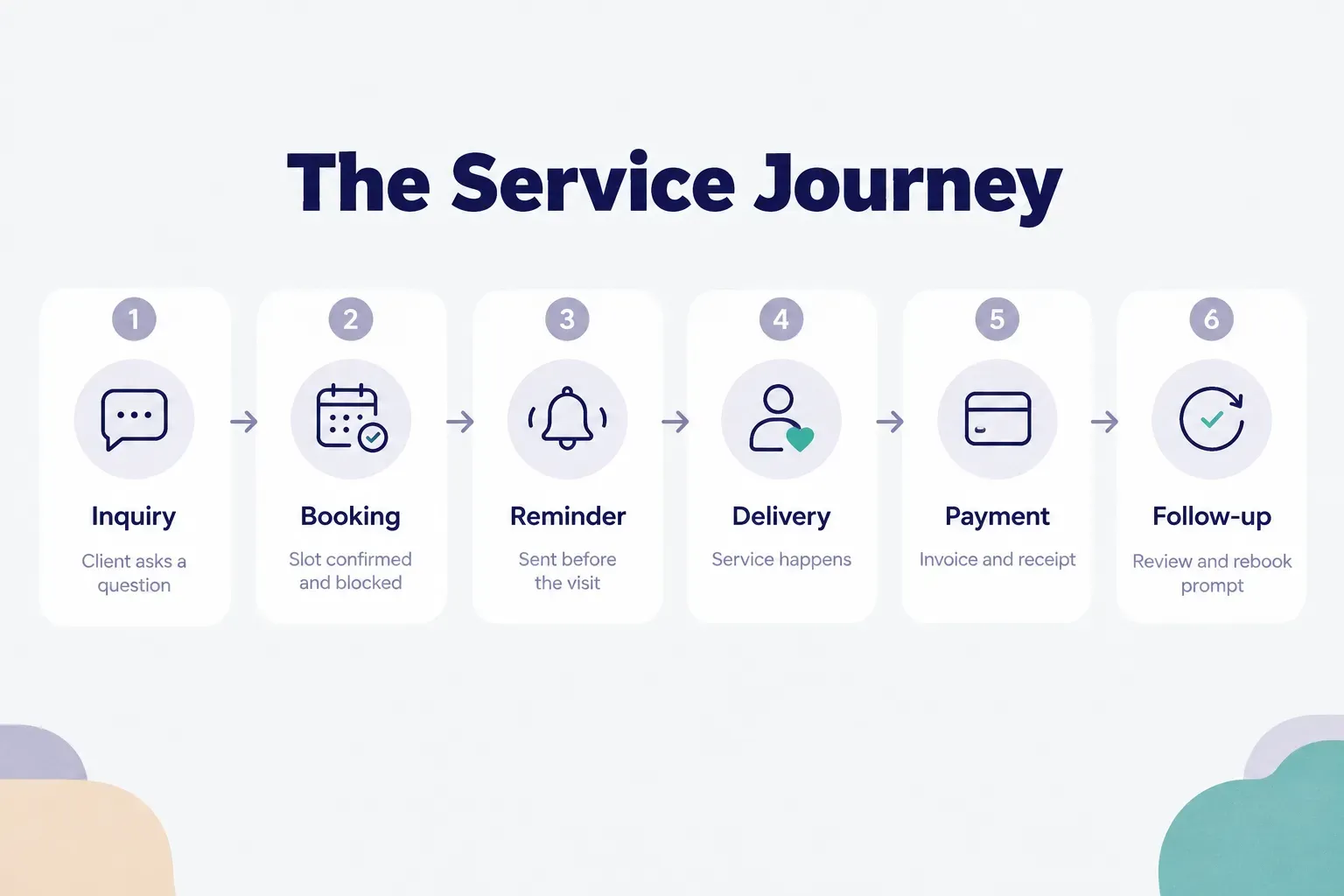
Process mapping starts with the “happy path”: what happens when everything goes right. For most local service businesses, that chain looks like this.
A client sends an inquiry, through a website form, a message, or a map listing. Someone (or something) runs an availability check against the calendar. The client picks a slot and gets a booking confirmation.
A reminder goes out before the appointment. The service is delivered. Payment is collected.
A follow-up and review request is sent. Finally, the client history updates so the next visit starts with context.
The real test of a well-mapped process isn’t the number of steps.
It’s whether data passes between them without manual re-entry. When a booking is confirmed, availability should update instantly and the reminder should schedule itself.
This is event-driven automation: each step fires because something happened in the previous one, not because someone remembered to click.
Every time a person retypes information, you add handoff latency (the dead time between one step finishing and the next starting) and a fresh chance for error. A misspelled email address at step one means the reminder at step four never arrives.
And the client who didn’t get a reminder is the one most likely to no-show.
Consolidating touchpoints helps enormously here.
Platforms like Frendex, for example, combine a live map listing, in-app chat, a booking calendar, and guest cards inside a single provider profile. The inquiry, the conversation, the confirmed slot, and the client’s history all live in one place, so the handoffs largely disappear.
It’s one practical illustration, not the only way to do it.
A well-connected stack of separate tools can achieve the same result if the integrations are solid.
Handling cancellations and other exceptions
Here’s what most automation guides skip entirely: the happy path might cover 80% of your bookings, but the other 20% generates most of the stress. Good exception handling is what separates automation that helps from automation that embarrasses you.
Cancellations need a rule for freeing the slot, applying any fee policy, and optionally offering the opening to a waitlist.
No-shows need a defined follow-up message and a decision about whether to require a deposit next time.
Late arrivals need a threshold, such as 15 minutes, after which the appointment is shortened or rescheduled.
Incomplete information, like a missing phone number or unclear service type, should pause the workflow and prompt the client rather than pushing a half-filled booking forward.
Price changes must update confirmations already sent, or you’ll face awkward conversations at checkout.
Double bookings should trigger an immediate alert to a human, never an automatic cancellation of one party.
Urgent requests are the trickiest.
A client asking for a same-day slot because of a wedding, an injury, or a burst pipe needs a person, fast.
Every one of these exceptions needs a written escalation path: who gets notified, how quickly, and what they’re allowed to decide.
Deciding what to automate first
The instinct is to automate whatever annoys you most.
Sometimes that’s right.
Often it isn’t.
The most irritating task can also be the rarest, or the one with the most judgment calls baked in.
A simple scoring framework
Score each candidate workflow from 1 to 5 across five factors.
Process volume: how often does it happen per week? Rule stability: do the steps stay the same every time, or do they change case by case? Error rate: how often does it go wrong when done manually?
Then add customer impact: does a mistake here cost you a client, a review, or revenue? And finally implementation effort, scored in reverse so that easier projects get higher marks.
The sweet spot is high volume, stable rules, and low effort.
Appointment reminders almost always land here.
They happen dozens of times a week, follow the same pattern, and most booking tools support them out of the box.
Complaint handling sits at the opposite end: low volume, unstable rules, high stakes.
Before you automate anything, though, ask a harder question.
Does this process even work?
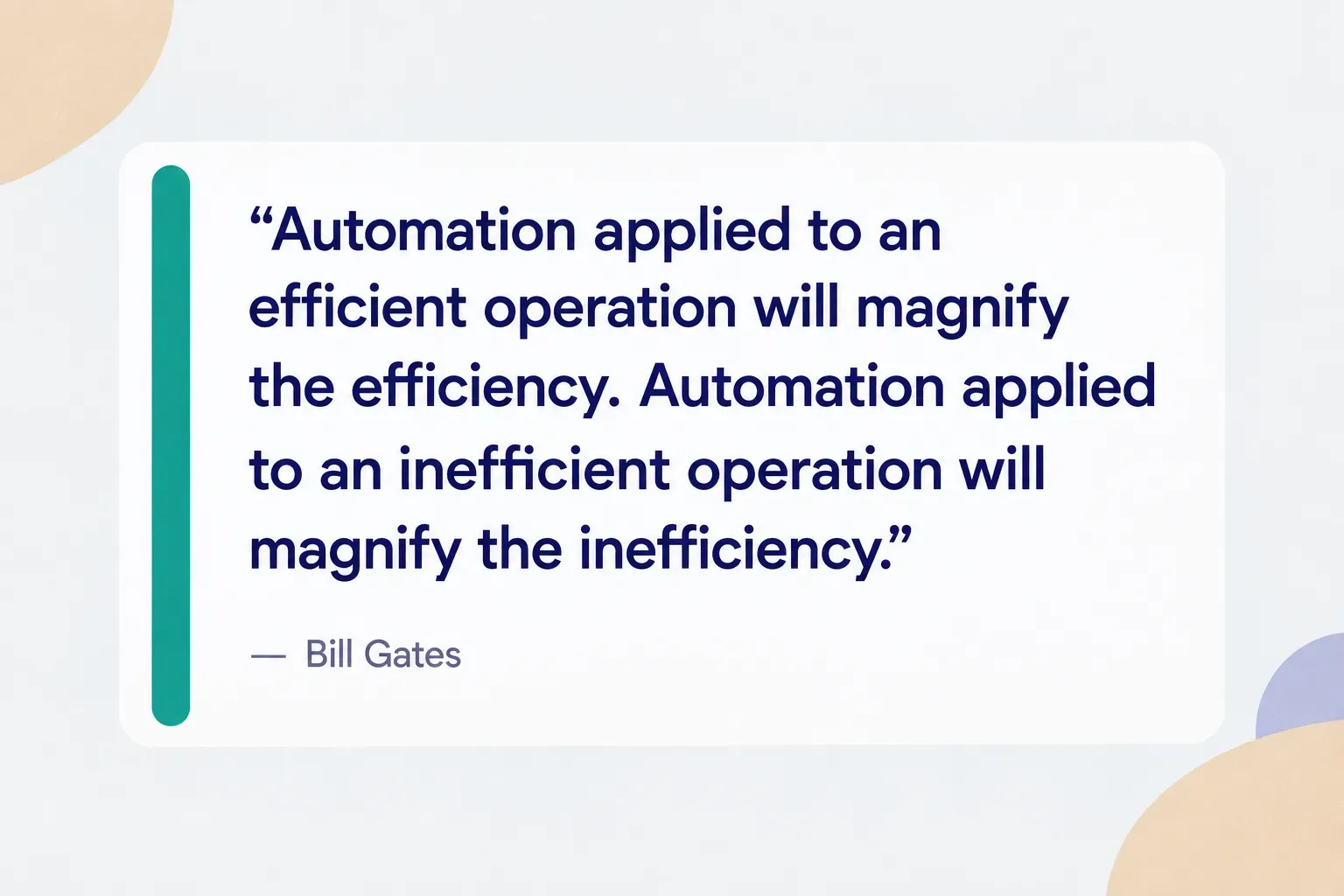
Automating a broken or unnecessary process doesn’t fix it.
It just makes the problem happen faster and at greater scale.
If your intake form asks for twelve fields and clients abandon it halfway, automating the form’s delivery means more people abandon it, more quickly.
Fix the form first.
Cut it to four fields.
Then automate.
What should stay human
Human-in-the-loop automation means the system does the preparation and a person makes the call. For small service businesses, certain interactions should always include that human checkpoint.
Health-related services, such as physiotherapy, massage for clients with injuries, or anything involving medications or allergies, need a person to review intake details.
Financial decisions, including custom quotes, payment plans, and discounts, carry real money and real expectations.
Complaints and refunds are relationship moments; an automated “sorry for your experience” reply to an angry client often makes things worse.
Safety issues, whether a home-service worker entering an unfamiliar property or a client mentioning a hazard, need human eyes. And anything with incomplete or ambiguous information should route to a person rather than letting the system guess.
A useful rule: automation can draft, schedule, and remind. A person should approve anything irreversible or sensitive.
That split keeps the speed benefits while protecting the trust that local businesses depend on.
Clients forgive a slightly slower reply.
They rarely forgive a confident, wrong one.
Building and measuring an automated process
Most small businesses skip straight to choosing a tool.
That’s step six at the earliest.
The order below feels slower at first, but it prevents the rebuild that usually follows a rushed launch.
- Document the current process as-is. Write down every step, who does it, which tool it touches, and how long the work sits waiting between steps. Queue and handoff times are often bigger than the work itself, and this written map becomes your first standard operating procedure.
- Set a baseline before changing anything. Record two to four weeks of current numbers: hours spent on admin, average reply time, missed appointments, and repeat bookings. Without a baseline, you can’t prove the automation helped.
- Pick one narrow starter workflow. Use your scoring framework and choose a single workflow, like confirmation plus reminder, rather than an entire process. Narrow scope means faster wins and easier debugging.
- Assign a process owner. One named person is responsible for how the workflow performs, even in a two-person business. Ownership is what keeps exception rules updated when policies change.
- Set data and permission rules. Decide which system is the source of truth for client details, and who can edit calendars, messages, and invoices. Good data quality depends on one client having one record across every tool, plus a clear audit trail of changes.
- Build and test with real exception cases. Don’t just test the happy path. Run a cancellation, a no-show, a booking with a missing phone number, and a double booking through the system before any client sees it.
- Train the team. Everyone should know what the automation does, what it doesn’t do, and exactly when to step in. A short written checklist beats a long demo.
- Launch and measure against the baseline. Track speed to first response, booking completion rate, missed appointment rate, repeat booking rate, review request response rate, and the rework or exception rate. These reveal far more than total cycle time, because a fast process with a high rework rate is just a fast way to create cleanup work.
- Translate time saved into business value. Compare baseline admin hours and missed-appointment costs with post-launch numbers. If you previously lost four appointments a month at $80 each and now lose one, that’s $240 a month recovered, before counting the hours you got back.
- Expand one workflow at a time. Once the starter workflow runs reliably for a month with a low exception rate, connect the next stage, such as payment or review requests. This is how workflow orchestration grows into true straight-through processing without breaking what already works.
Research on appointment reminders consistently supports step 8’s focus on missed appointments. Multiple systematic reviews of SMS reminder studies in healthcare settings have found meaningful improvements in attendance, which is why reminders remain the most reliable first automation for appointment-based businesses.
Why automation projects fail
Small business automation rarely fails because the software is bad. It fails for predictable, preventable reasons.
- No process owner. When nobody is responsible, broken rules go unnoticed for weeks. Reminders keep citing an old cancellation policy and nobody catches it.
- Inconsistent customer identity across tools. “Sam Lee” in the calendar, “Samantha Lee” in invoicing, and a different email in messaging means three records for one person. Automations fire twice, or not at all.
- Skipped documentation. Without a written as-is map, nobody knows which manual workaround the automation just eliminated, until a client complains.
- Trying to automate the entire business at once. Big-bang launches make it impossible to tell which piece broke. One workflow at a time is slower on paper and faster in reality.
- Ignoring exception rates. If 30% of bookings need manual fixing, the automation isn’t working. The exception rate is the honest number; total processing time can hide it.
Start with one workflow, not everything
If you do one thing this month, do this: find the single friction point causing the most missed follow-ups or delayed replies, and automate that one workflow end to end.
Nothing else until it runs cleanly.
Speed matters, but it isn’t what wins local clients.
Trust does.
Accurate availability, transparent confirmations, and a real person reviewing unusual requests will earn more repeat bookings than a reply that lands three seconds faster.
And remember the bigger picture.
Process automation succeeds when it removes friction from a process that already works… not when it’s used to patch one that doesn’t.
Fix first.
Then automate.
Then measure, and do it again.
Frequently asked questions
What is an example of process automation?
Automatically confirming a booking, sending a reminder, collecting payment, and requesting a review is a clear example of process automation. Each step triggers the next without manual input, and client data flows through the whole journey. A single auto-sent confirmation, by contrast, is task automation.
What are the four types of automation?
In business software, the four commonly cited types are task automation, workflow automation, robotic process automation (RPA), and intelligent or AI automation. They range from single repeated actions to systems that apply judgment. In manufacturing, the four types are fixed, programmable, flexible, and integrated automation.
What is the difference between workflow and process automation?
Workflow automation handles a sequence of connected tasks, while process automation covers the full end-to-end journey across people and systems. Confirmation plus reminder plus calendar update is a workflow. Inquiry through payment, review, and client history update is a process.
What are the benefits of business process automation?
The main benefits are faster response times, fewer missed bookings, consistent follow-up, and more accurate client records. Automation also frees hours previously spent on admin and reduces errors from manual data entry. Those gains compound as more workflows connect.
How do I automate a business process?
Document the current process, set a baseline, and automate one narrow workflow before expanding. Assign a process owner, test with real exceptions like cancellations and no-shows, and measure results against your baseline. Then add the next stage only once the first runs reliably.
What is the first step in process automation?
The first step is documenting your current process as it actually works today, including handoffs and waiting times. Then record baseline numbers for reply speed, missed appointments, and admin hours. Choose tools only after both are done.
Need a hand with something?
The Frendex map shows you who is available near you, in real time.
Get the app free Get the app freeFree, no card needed
Related articles
How much does a locksmith cost in 2026?
See what locksmiths actually charge in 2026, trip fees, labor, and parts included. Real job costs and hidden add-ons before you book a call.

What your bumper repair shop isn't telling you
A $200 scratch can hide $2,000 in hidden damage. See what's behind the plastic, what drives repair costs, and how to vet a shop before you pay.

Career coaching explained for every career stage
What career coaching actually involves, session by session, and how to vet a coach's credentials before you pay. 39% of skills will shift by 2030.